From a 3D model to G‑code, on a Mac
SwarfPath plans the cut for a hobby CNC router: pockets, 3D carving, V-carving, drilling and cutouts with tabs, on one side of the stock or both.
Free and open source. Needs macOS 15 or later, on Apple silicon or Intel. Signed and notarized by Apple, and it checks for updates by itself.
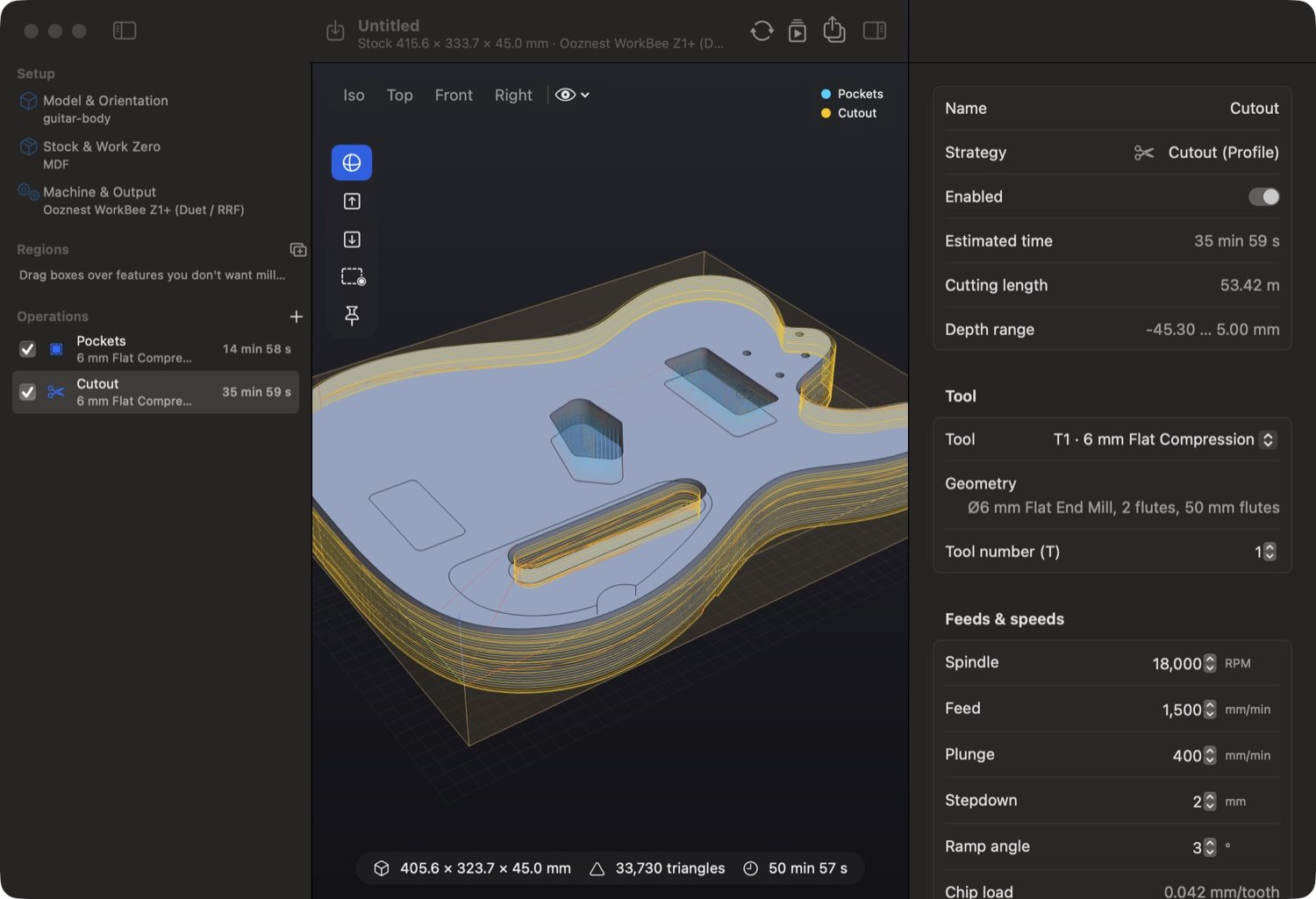
Let it plan the job, or build it yourself
Import an STL and the stock is sized around it, or type in your blank's exact size. Full Processing reads the model and adds what it needs: facing, pockets, 3D roughing and finishing, and a cutout.
Or pick the operations yourself, cap any of them at a depth, and drag keep-out boxes over clamps. Rest machining sends a smaller bit only where the big one couldn't reach.
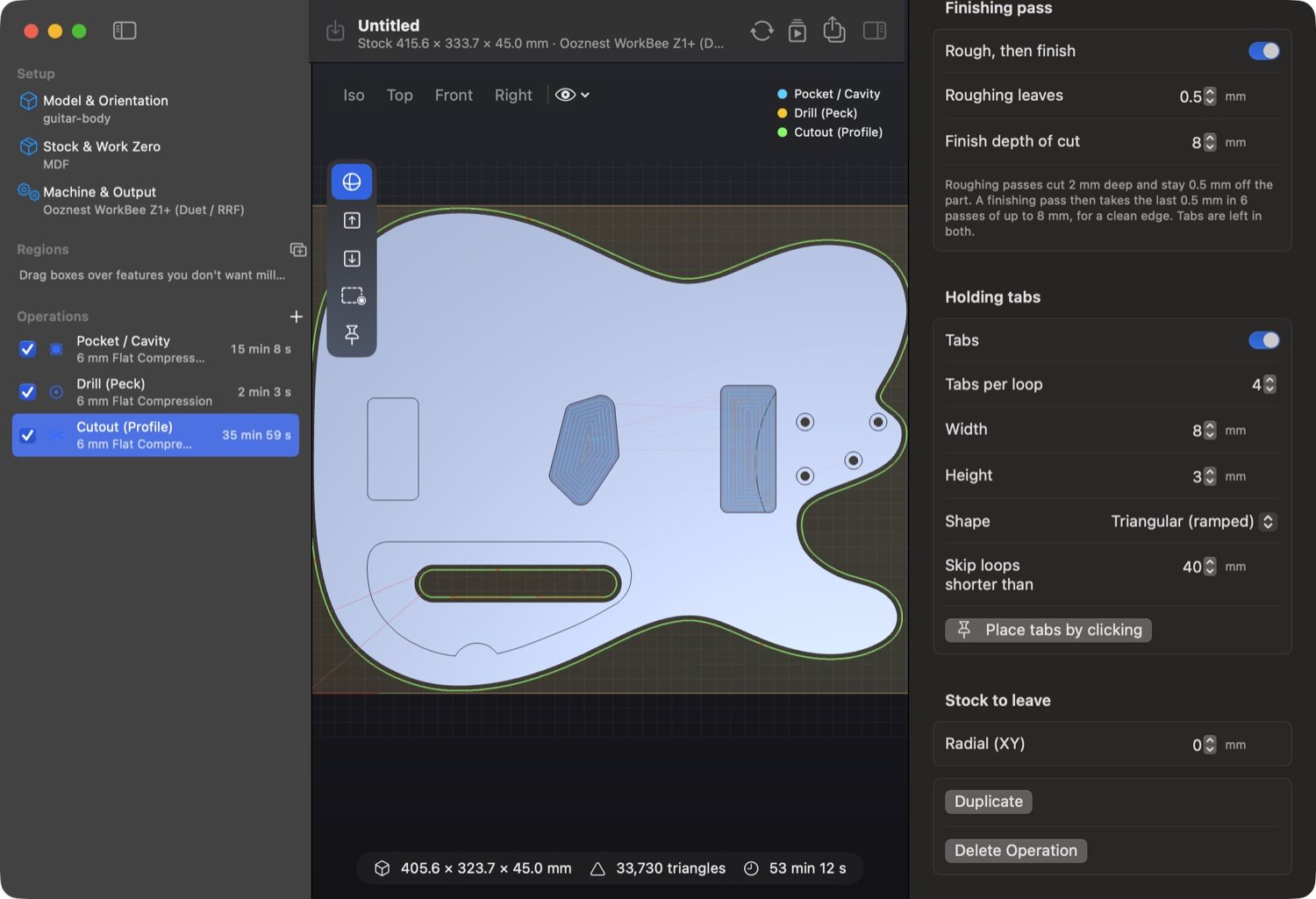
Cutouts finish with a light pass for a clean edge and leave holding tabs where you want them.
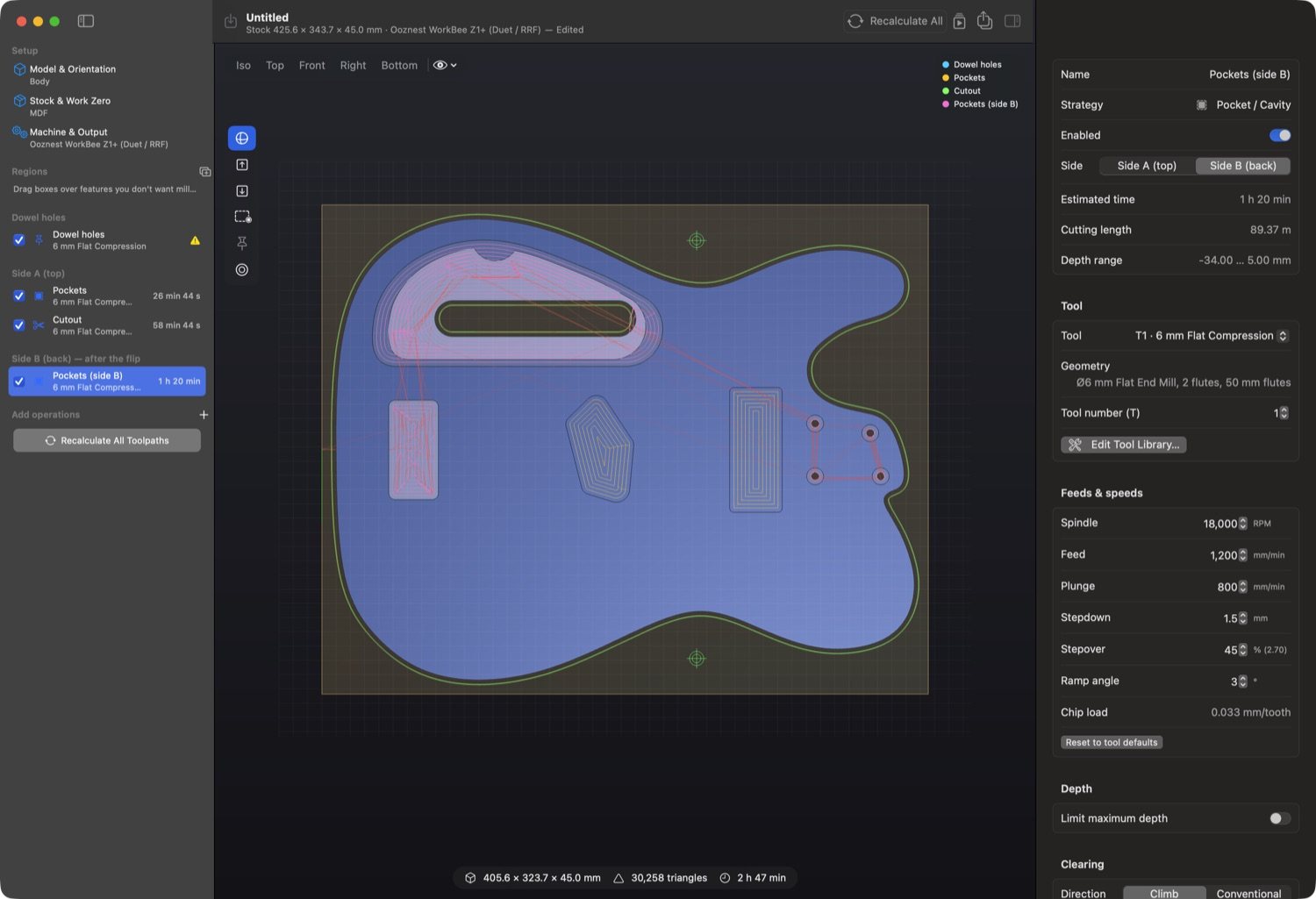
Machine both faces
Turn on two-sided machining and the job becomes four steps: drill dowel holes, cut the top, roll the stock over, cut the back. Each step is its own G-code file, starting with what to do before you run it.
Dowel pairs are mirrored across the centre line so they meet their dowels after the flip. They go in the waste automatically, or where you click, with a preview that turns red if a hole would hit the part.
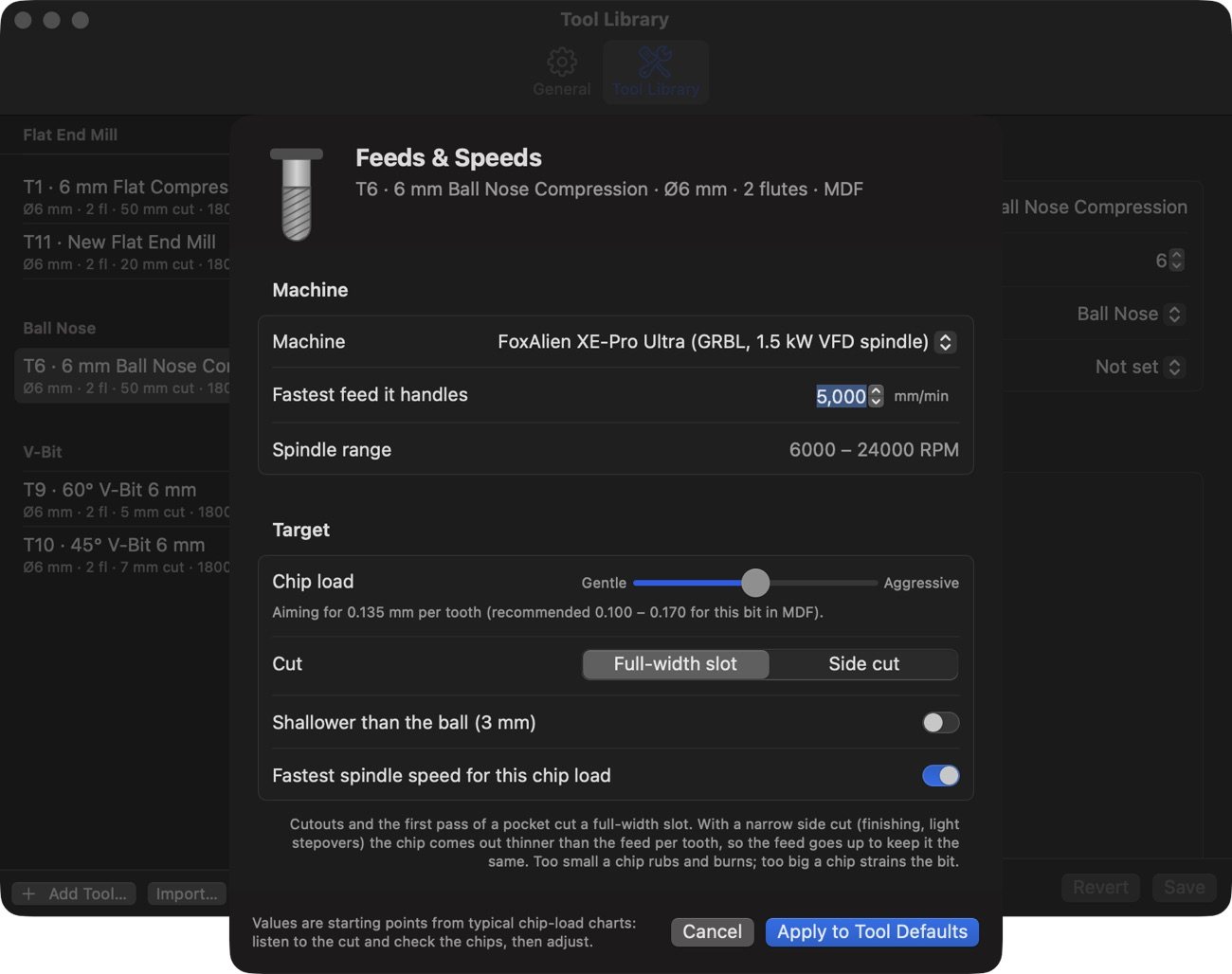
Feeds and speeds from the chip load
Describe each bit once: flat, hogging, ball nose, bull nose, V-bit or drill. The calculator aims for a chip load in the recommended range for the bit and material, at the fastest spindle speed your machine's top feed allows.
It allows for chip thinning on light side cuts and for a ball nose cutting shallower than its radius. A corn-cob hogging bit can take the bulk out first, with flat-bit finishing passes in their own files.
Cut it virtually first
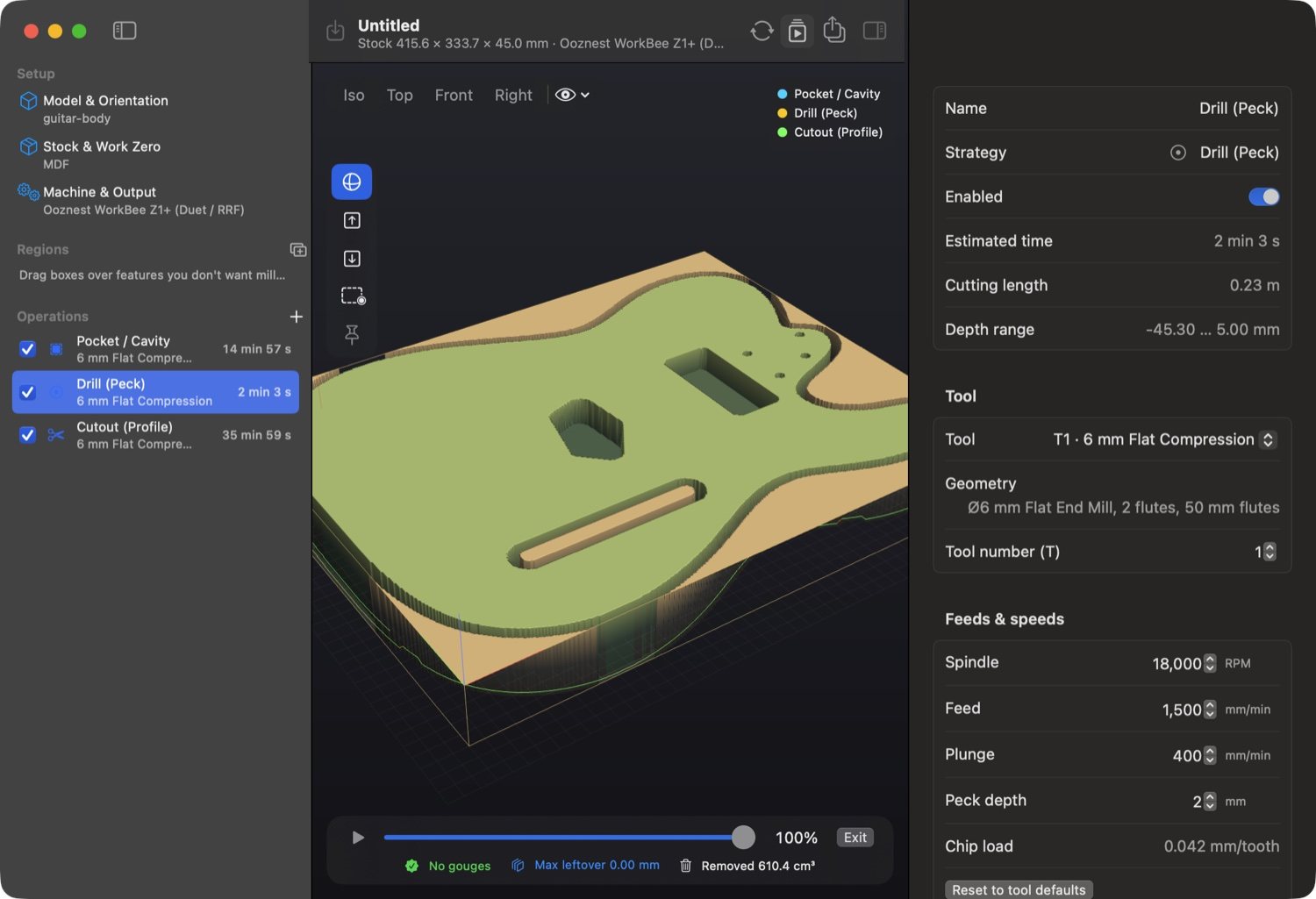
The simulation plays the job on a block of virtual stock. Overcuts show in red and anything left behind as a blue heat map, on the back of two-sided jobs too.
It also flags cuts deeper than the bit or the collet allows, feeds out of range, keep-out violations and jobs that won't fit the machine, and estimates the run time with acceleration included.
Getting it to the machine
15 machine profiles
GRBL of any make, Shapeoko, LongMill, X-Carve, Genmitsu, Onefinity, grblHAL, FluidNC, Duet, MASSO, LinuxCNC, Mach3 and 4, UCCNC and Marlin.
Smooth motion
Curves leave as arcs and long moves instead of thousands of tiny steps, so the machine isn't braking all the way round.
One file per bit
Re-zero Z between bits. Hogging runs first, so there's only one extra bit swap.
Setup sheet
A printable page with the stock, the zero point, the tools and, for two-sided jobs, the flip.
Test-cut mode
Limits every depth so a new job can be tried on 9 mm scrap MDF first.
Send to SwarfGRBL
Skip saving files: the job lands in SwarfGRBL's library in run order, ready to start.
About it
- Input
- STL models, from any 3D design app.
- Requirements
- macOS 15 or later.
- Licence
- MIT. The source is on GitHub.
- Before you cut
- SwarfPath is experimental. Check every toolpath, air-cut new jobs with Z zeroed above the stock, and try them in scrap first.